-
Access Settings:
- Log in to your StudyFetch account.
- Click on your account icon in the top right corner of the screen.
- Select “Settings” from the dropdown menu.
-
Navigate to Privacy and Data:
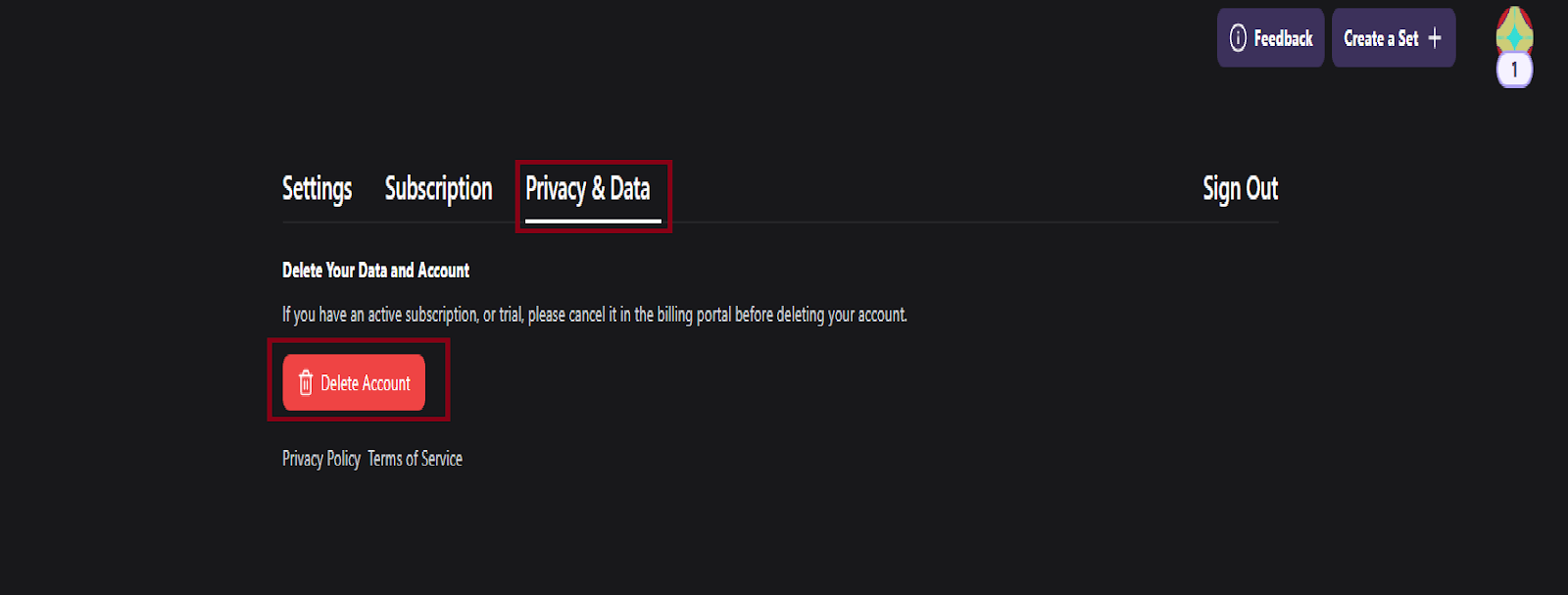
- On the Settings page, locate the “Privacy and Data” section.
-
Delete Account:
- Within the “Privacy and Data” section, you will find the option to delete your account.
- Click on the “Delete Account” button.
-
Confirmation:
- You may be asked to confirm your decision to delete your account.
- Follow any additional prompts to complete the deletion process.